How to sign up for BingX

Open BingX through the loweef link — code 'HYMHUSRT' is applied automatically — then create the account with email or Google and confirm the verification code. It takes a few minutes, and the new UID is what you link to loweef for daily payback accrual.
-
1
Open BingX through the loweef link. The referral code HYMHUSRT is applied automatically — this is what connects your trading fees to your payback.
Already have a BingX account? Payback only works for accounts created through the loweef link, so you would start fresh with a new account (new UID). Your funds stay where they are — nothing is transferred.
-
2
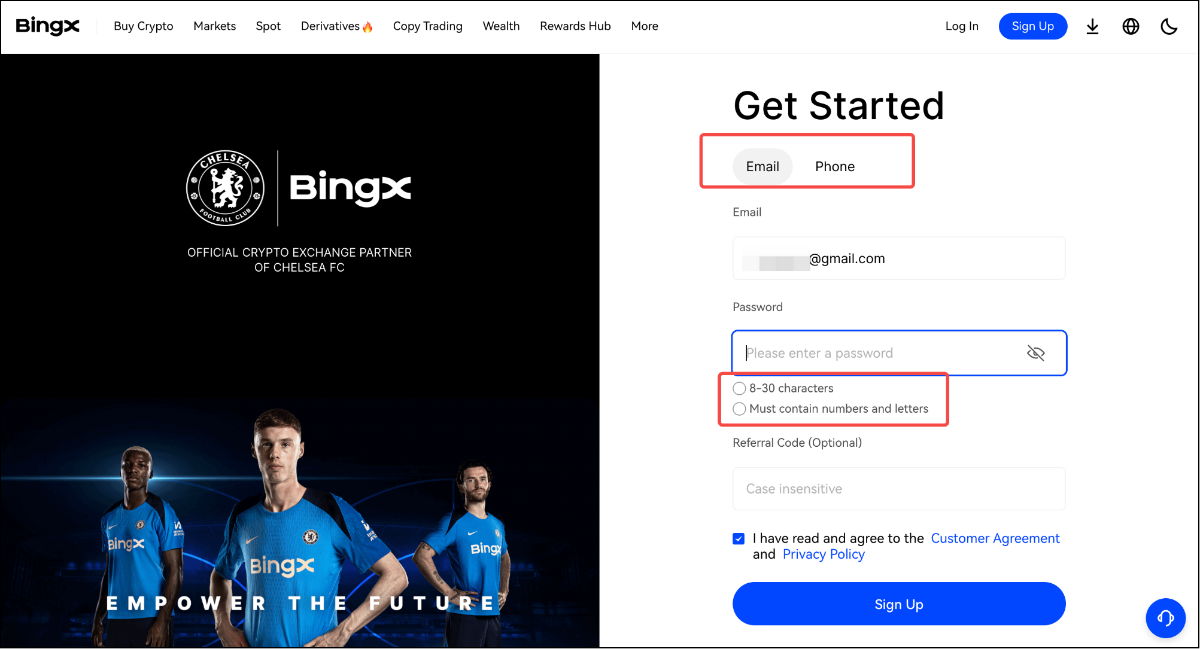
Choose email or Google sign-up and set a password.
-
3
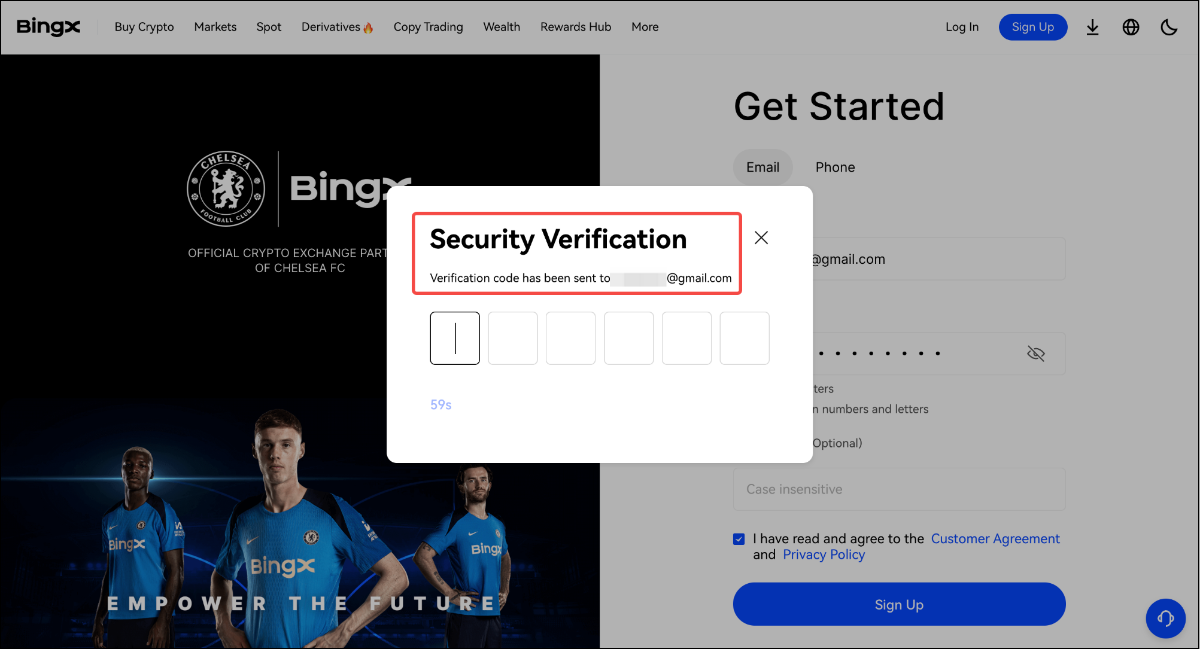
Enter the verification code BingX sends to your email (or phone) to confirm the account.
-
4
Done — you are registered. Next, find your UID and link it to loweef; KYC can be completed whenever the exchange asks for it.
Last checked: 2026-08-03
Screenshots as of 2026-08
Screens may change — see BingX’s official help for the latest →