BingX KYC verification, step by step

KYC happens entirely inside BingX: open identity verification in the account menu, submit an ID document, pass the face check, and wait minutes to a few hours for review. loweef never collects or sees any of it.
KYC is BingX’s own procedure. loweef never collects, sees or stores any of your identity documents or personal data.
-
1
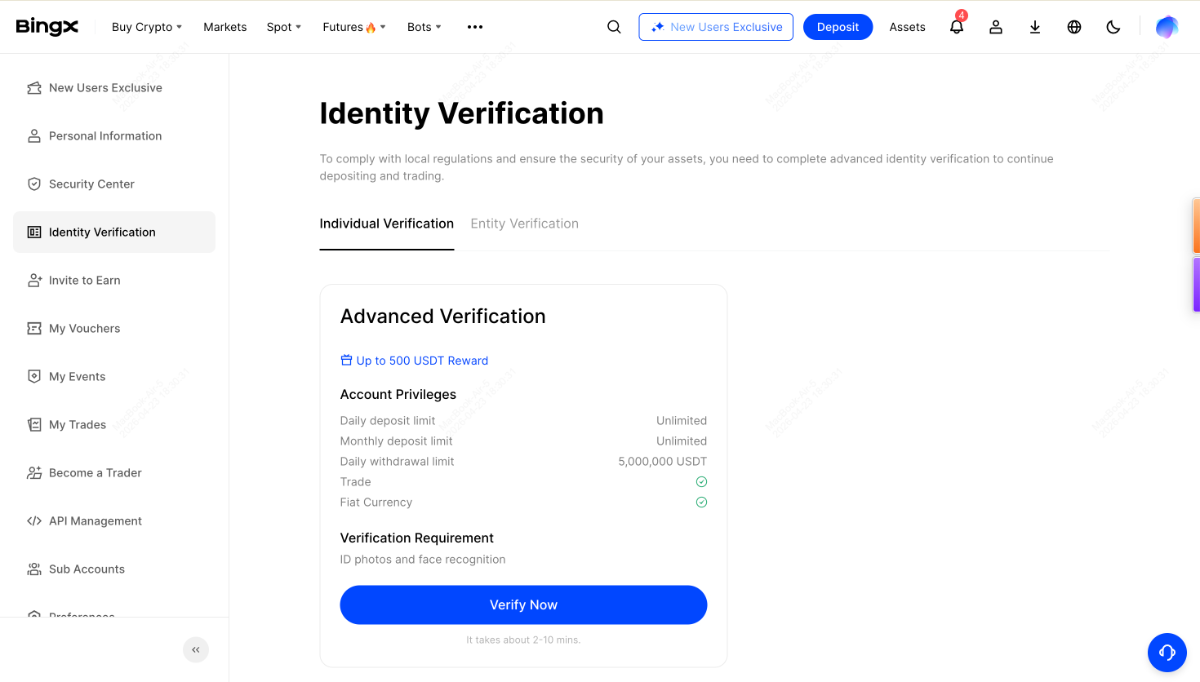
Log in to BingX and open the account or profile menu, then choose identity verification (KYC).
-
2
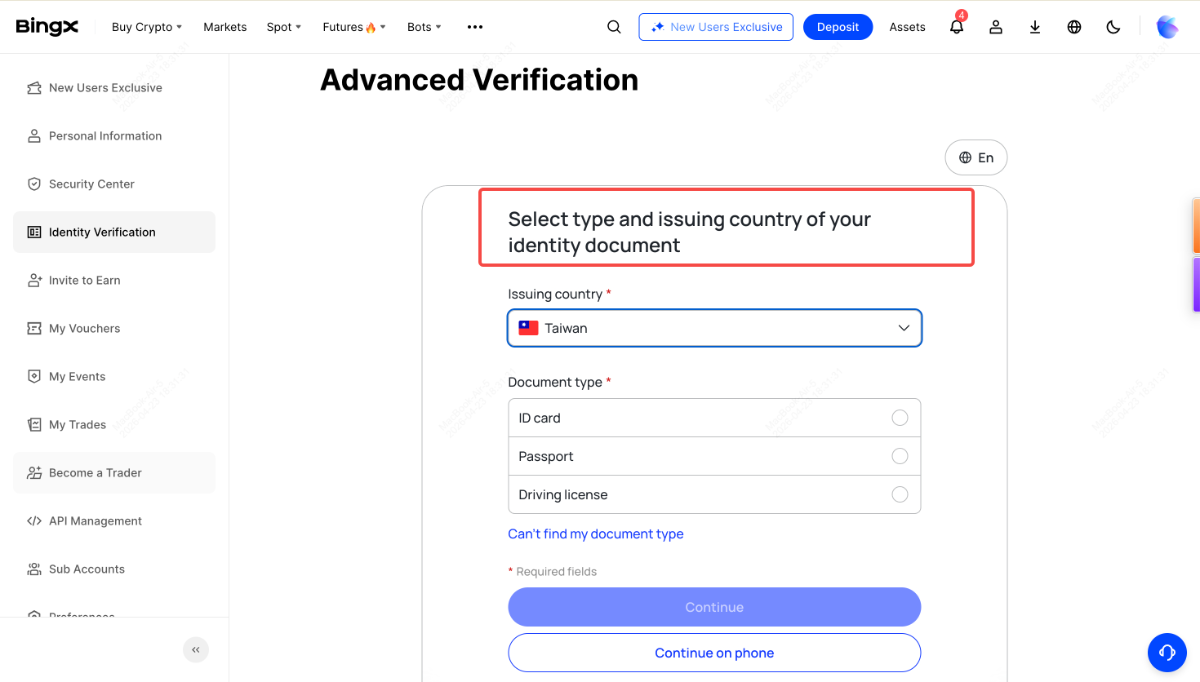
Select your country and ID type — usually a passport, driver’s license or national ID.
-
3
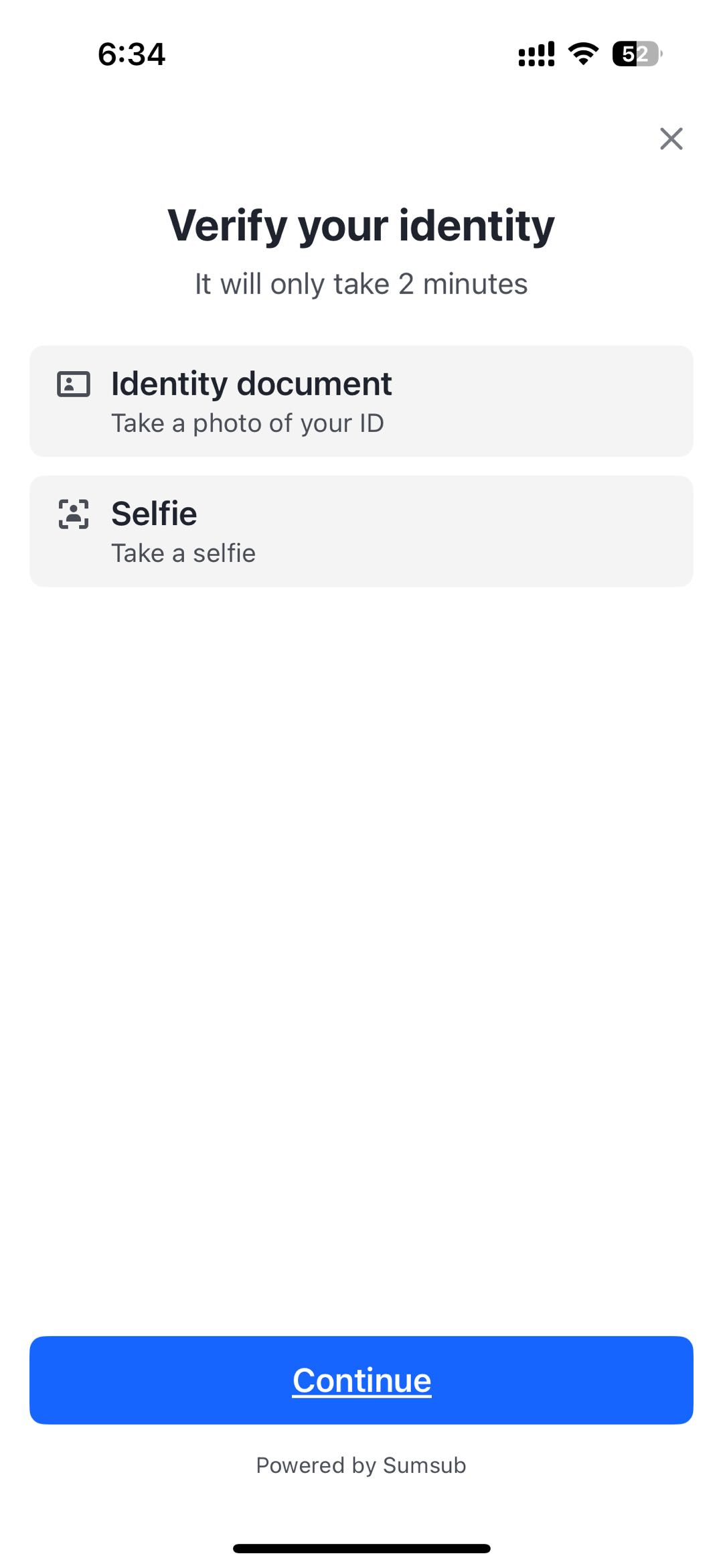
Photograph your document and complete the face check (liveness) with your camera.
-
4
Wait for review — most checks finish within minutes to a few hours. You can find your UID and link it to loweef while you wait.
Last checked: 2026-08-04
Screenshots as of 2026-08
Screens may change — see BingX’s official help for the latest →