Compass Series: TradingView indicators for crypto futures
Chart tools for crypto futures traders: where volume traded and how the trend is moving, what holding a position costs in funding, and where your real break-even sits after fees. Each indicator puts several tools into one indicator slot on your TradingView chart.
That matters on the free TradingView plan, which allows two indicators per chart. TradingView plans and limits
The three indicators
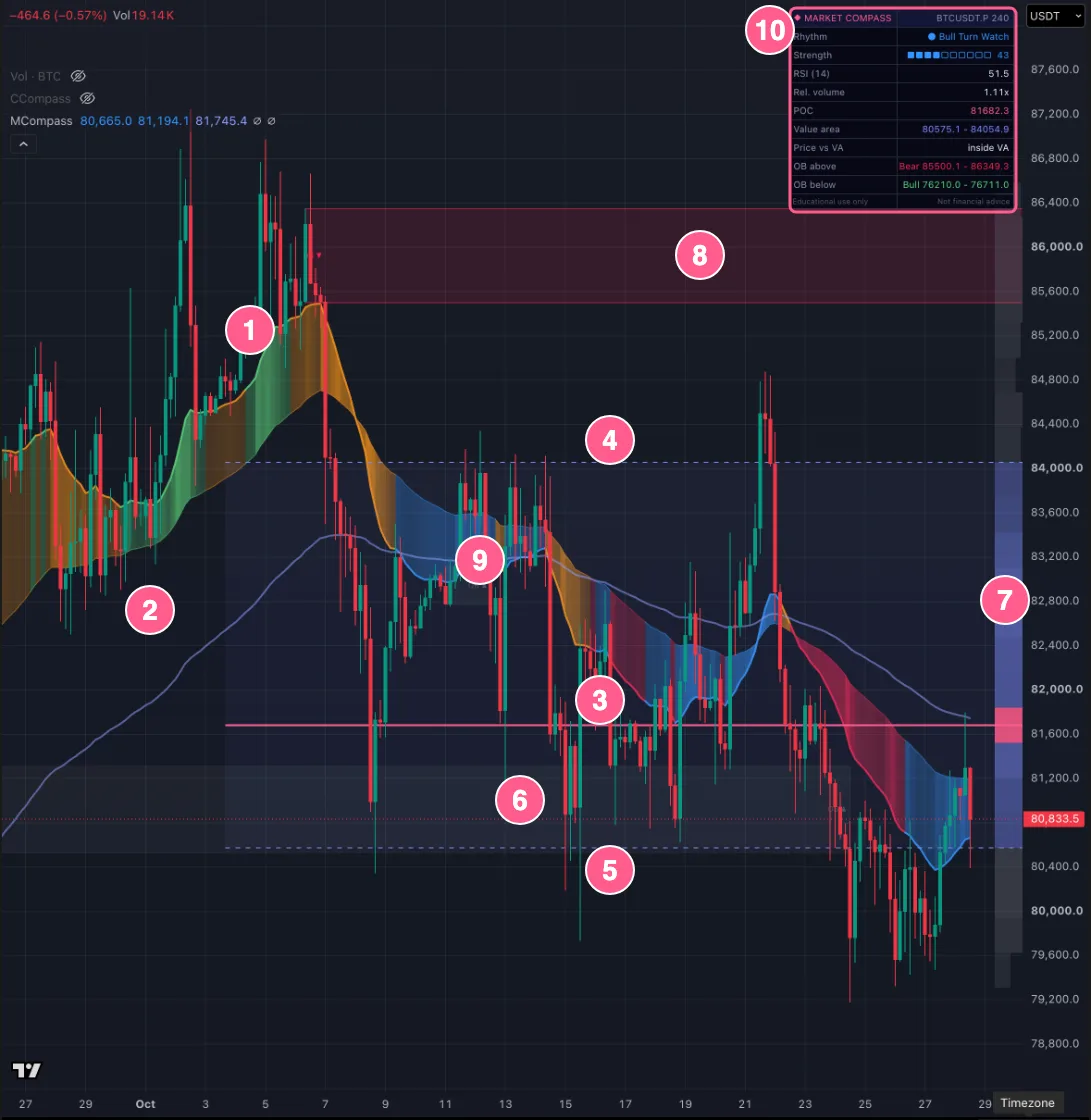
Market Compass
Invite-only script on TradingView
A volume profile with point of control and value area, order blocks from confirmed market structure, a trend rhythm built from EMA alignment and MACD, and a 0 to 100 rhythm strength score. An optional macro panel adds BTC and USDT dominance, correlation with an equity index and gold, and spot ETF volume.
Useful for: traders who want support and resistance, trend context and macro context on one chart without using several indicator slots.
Funding Compass [loweef]
Invite-only script on TradingView
Perpetual funding for the chart's coin on Binance, Bybit, OKX and Bitget in one pane, a 0 to 100 crowding score from funding deviation and open interest growth, and what your position pays or receives in funding per day and over your holding period.
Useful for: futures traders who hold positions through funding settlements and want to see the holding cost, and which side looks crowded, without checking each exchange.
Cost Compass [loweef]
Invite-only script on TradingView
Draws the price your trade has to reach to cover its costs: entry plus round-trip trading fees plus the funding you expect while holding. It shows that distance in percent and in ATR, an approximate liquidation price, and where break-even would sit if your fee rates were lower.
Useful for: traders who use leverage or trade short timeframes, where fees can be a large share of a normal move. You enter your own fee rates.
How to get access
- Open the script page on TradingView with the button on the card.
- Send a private message to loweef on TradingView with your TradingView username. Access is free right now.
- Once access is granted, add the script from Indicators on your chart, under invite-only scripts.
You do not need a loweef account to get access.
Free now, possibly paid later
The Compass Series may change to a paid subscription later. No date is set.
Fees are the other half
An indicator can help you plan an entry, but trading fees are charged on every entry and exit, and they push your break-even further away. See what your way of trading costs in fees and how much of it a fee rebate can return.
Open formulas: break-even price, funding cost, fee-aware position size and a liquidation estimate, published as open JavaScript and Python code under the MIT license. futures-trade-math on GitHub
Educational use only, not financial advice. The indicators show states, zones and estimated costs. They do not tell you when to buy or sell. loweef is not affiliated with TradingView.