Move your BingX verification to a new account

If your existing BingX account was created under another referral code, you don't lose your KYC: create a new account through the loweef link (code 'HYMHUSRT' applies automatically), then use BingX's official verification-transfer process and link the new UID to loweef.
-
1
Create your new BingX account through the loweef link first — referral code 'HYMHUSRT' is applied automatically. Your old account and its funds stay untouched.
-
2
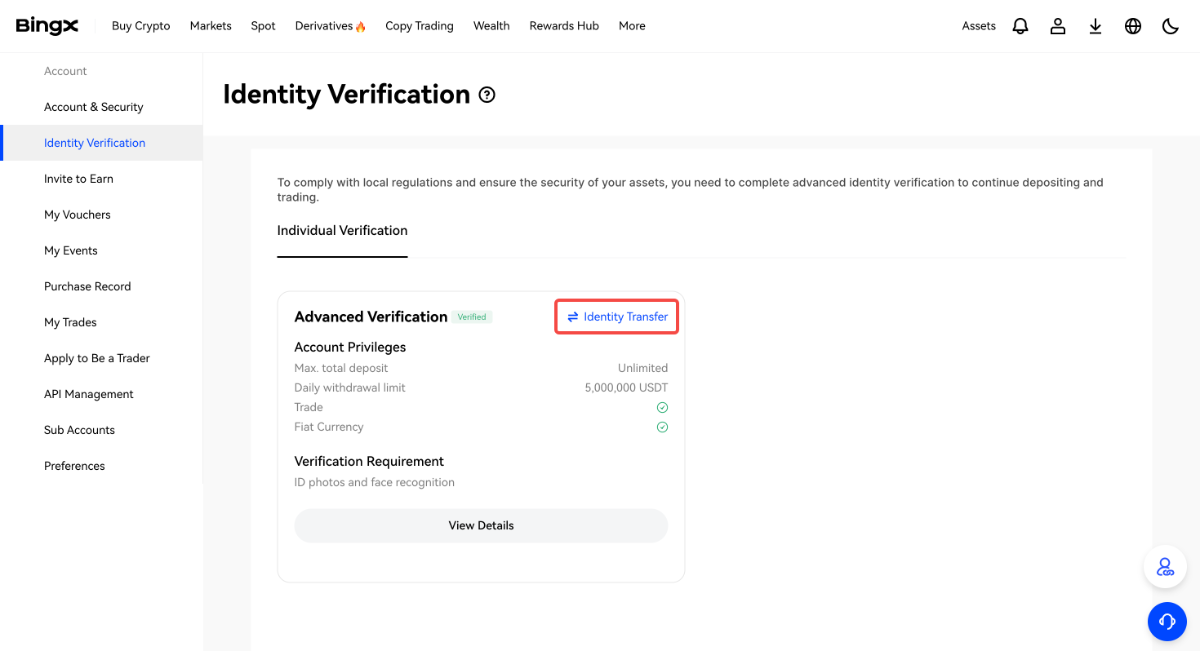
BingX officially supports moving identity verification between accounts. Follow the official help article below to submit the transfer request from your old account.
-
3
Once the transfer completes, the new account is verified — link its new UID in the loweef app and payback starts accruing daily.
Last checked: 2026-08-04
Screenshots as of 2026-08
Screens may change — see BingX’s official help for the latest →