Where to find your Grvt username

Open the Grvt app and tap the profile icon in the top-left corner — your username is the @name shown under the avatar, and the copy icon below it copies your Account ID. Enter either one in the loweef dashboard; payback starts once we confirm the account was registered with loweef.
-
1
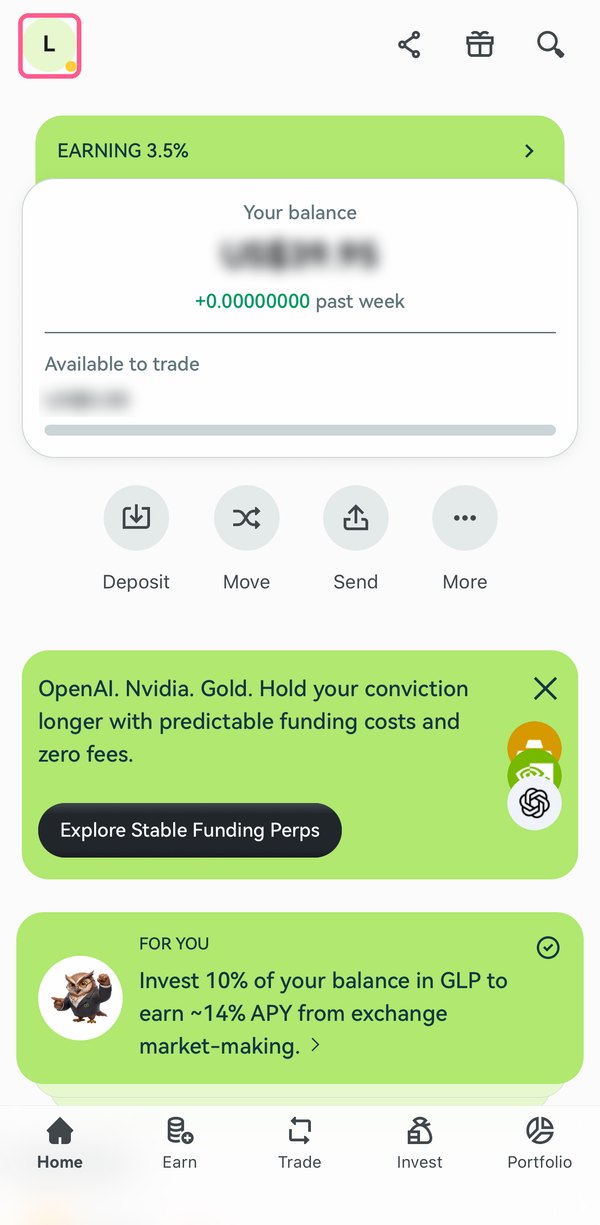
In the Grvt app, tap your profile icon (the letter circle) in the top-left corner of the Home screen.
-
2
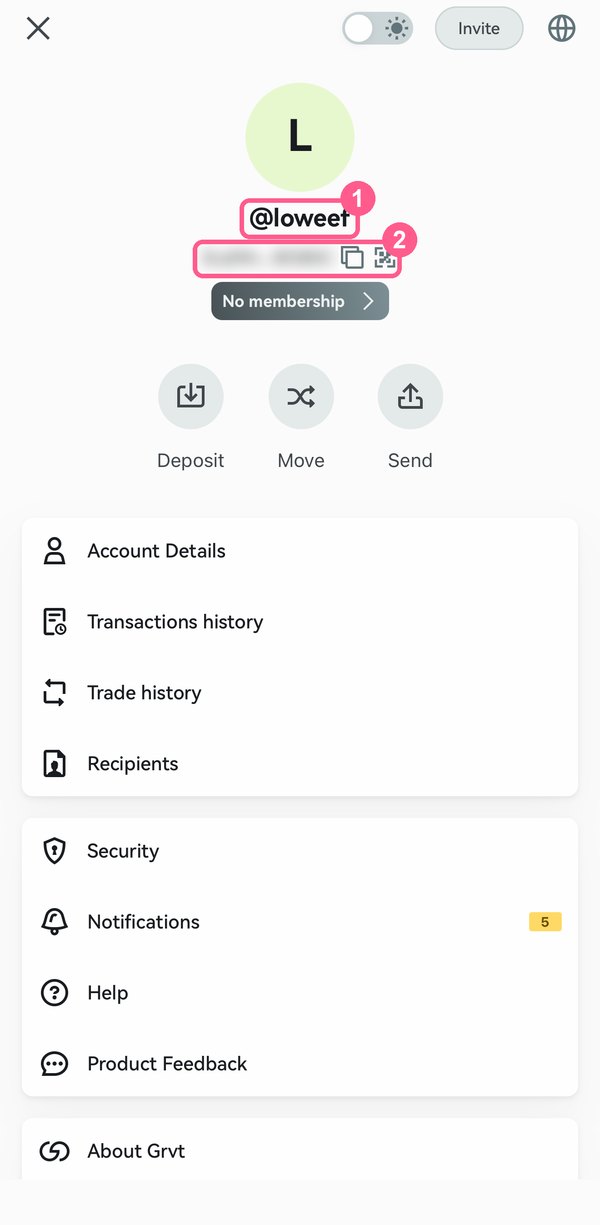
Your username is shown under the avatar as @name. Copy it without the @ — or tap the copy icon next to the code below it to copy your Account ID; either one works.
-
3
Enter the username in the loweef app (dashboard → link exchange) and we check that the account was registered with code loweef.
Related questions
- Why does a crypto cashback platform ask for my UID?
- When are crypto fee rebates paid out, and is there a minimum?
Last checked: 2026-11-18
Screenshots as of 2026-11
Screens may change — see Grvt’s official help for the latest →