How to sign up for Gate

Open Gate through the loweef link, choose your country or region of residence, accept the User Agreement and Privacy Policy, then sign up with your email or phone number. Check that the referral code shows LOWEEFIO, enter the verification code Gate sends you, and set a login password to finish.
-
1
Open Gate through the loweef link. The referral code LOWEEFIO is applied automatically — this is what connects your trading fees to your payback.
Already have a Gate account? You don't need to close it or unlink your phone number. Gate lets one person verify more than one account with the same ID, so sign up again through the loweef link with a different email address, verify it with the same ID, and trade on the new account. Your old account and its funds stay as they are.
-
2
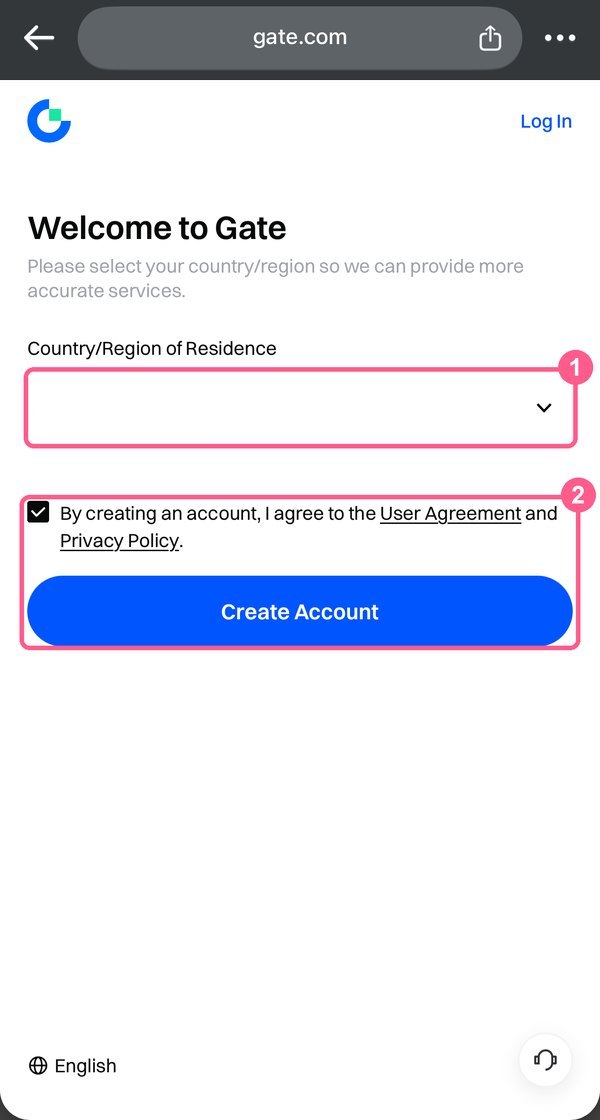
On the Gate website, click Register in the upper-right corner. Select your country or region of residence, tick the box to accept the User Agreement and Privacy Policy, and continue to create your account.
-
3
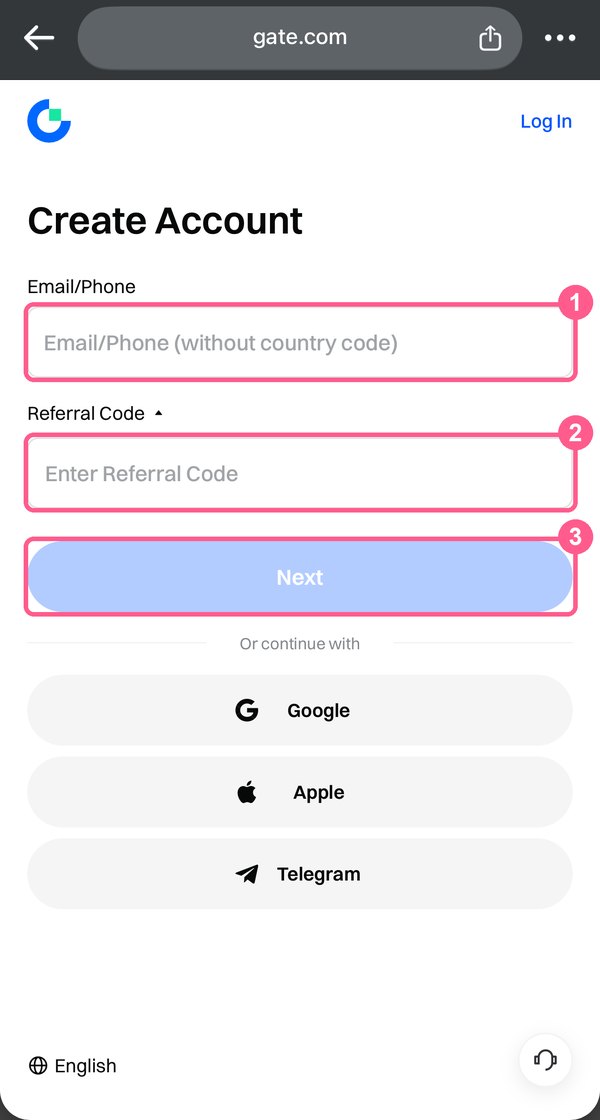
Choose email or phone number as the sign-up method and enter it. If a referral code field is shown, check that it reads LOWEEFIO — type it in if it is empty — then click Next.
-
4
Enter the verification code Gate sends to your email or phone, then click Next. If it doesn't arrive, check your spam folder or click Resend.
-
5
Set your login password and click Confirm to complete the registration. Each email address or phone number can register only one Gate account.
-
6
Done — you are registered. Next, find your UID and link it to loweef; KYC can be completed whenever the exchange asks for it.
Related questions
Last checked: 2026-11-18
Screenshots as of 2026-11
Screens may change — see Gate’s official help for the latest →